



• international
  • us
  • uk
  • de
  • nl
  • fr
  • no
  • se
  • dk

EU (current)

nav-wrap-img

itslearning features

itslearning consists of a number of different features which are especially tailored for the education sector. This page describes the most important functionality. Click the links below for more information, video tutorials and resources.

Usability

User-friendliness is one of the most important features of a successful learning platform. A system that is easy to use means users need little training – and ensures that they spend their time learning and teaching instead of wasting energy on trying to figure out how the system works.

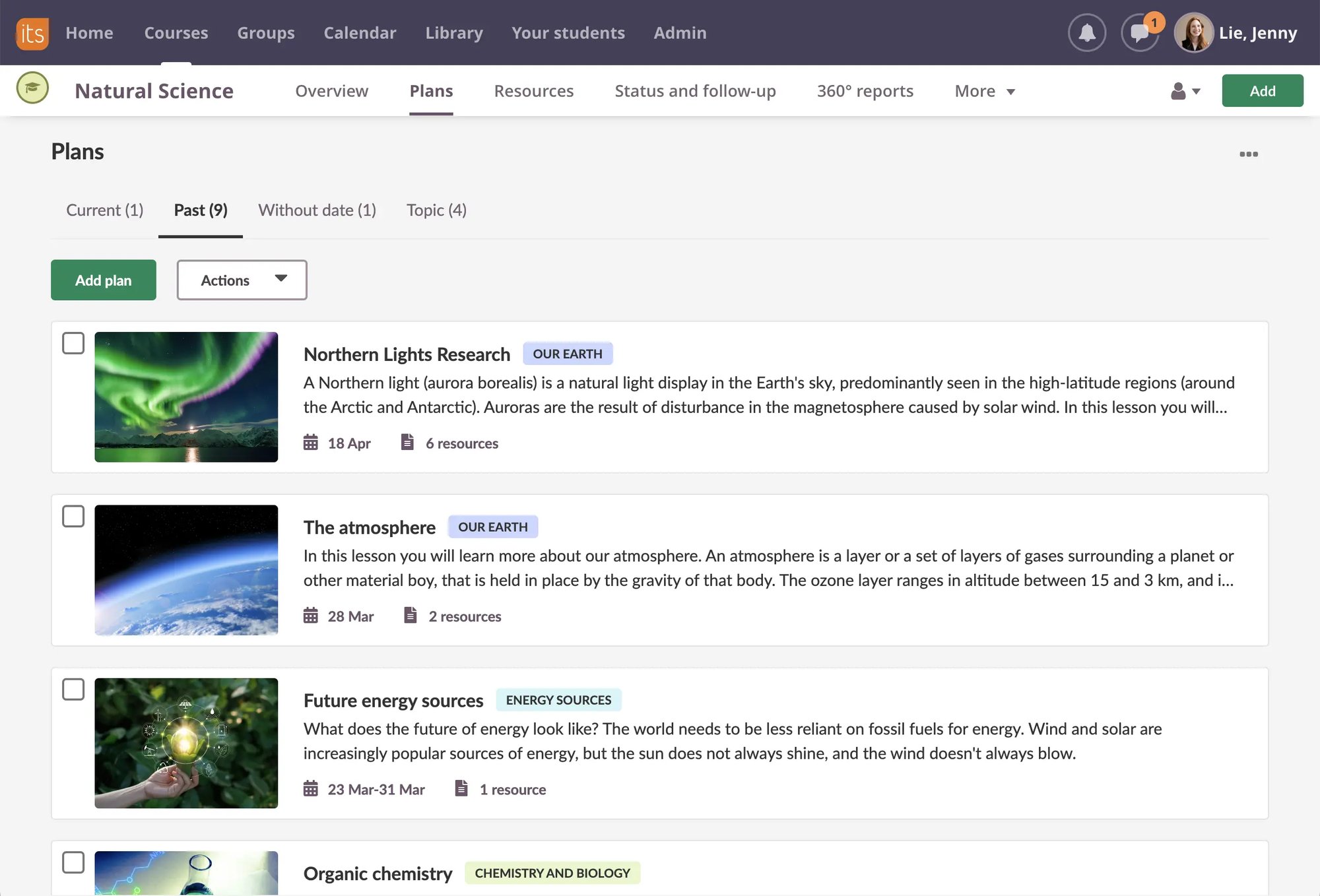
We’ve worked hard at itslearning to ensure that our software is easy to use. The menu system is based on well-known web and software standards, and user interactions follow familiar software principles. For example, the itslearning text editor is structured in the same way as most blogging tools and contains similar symbols to Microsoft Word, so anyone familiar with these systems will be able to get working quickly with itslearning.

Here are some reasons what people find itslearning easy to use:

  • Users always receive clear feedback on actions (for example, if they save a text, itslearning tells them that it’s been saved)
  • Clickable elements are obviously clickable
  • “Paths” and graphical marking in menus help the user keep track of where they are
  • Users have simple and immediate access to the most common tasks
  • The page layout is clear, and prioritised elements are highlighted


Screen shots

Usability

Usability

More Information

Read more about usability and accessibility in the online help.

twitter